Henderson Secondary School and Bukit Merah Secondary School will merge in January 2017. The merged school will be known as Bukit Merah Secondary School. For information on the merged school, please refer to Bukit Merah Secondary School website at http://www.bukitmerahsec.moe.edu.sg.

Thursday, December 1, 2016

Monday, August 15, 2016
National Day Parade
We had our final parade in Henderson grounds as we welcome the public and Tanjong Pagar's Member Of Parliament, Ms Joan Pereira, to participate in the National Day Observation Ceremony on 9 August 2016.
After the parade, we had the opportunity to chat with Ms Pereira at the canteen over light refreshments. We got to talk to her about school and how we are coping with our studies and CCA at the same time. It was an unforgettable moment to be able to talk to a MP.


After the parade, we had the opportunity to chat with Ms Pereira at the canteen over light refreshments. We got to talk to her about school and how we are coping with our studies and CCA at the same time. It was an unforgettable moment to be able to talk to a MP.

As we ended the day, we took a group shot with Ms Pereira. The guy in blue is an active member of the Grassroot Committee from Henderson Community Club, the nearest CC to our school.

Monday, July 25, 2016
Camo & Crawling
During last Friday's CCA training, the Sec 2s learnt about how to apply camo and the two ways of crawling with a rifle. This was in preparation of their IMT course...
After some demonstration and practice, we headed to the canteen to try out what we have learnt. Sadly, we couldn't experience crawling on the grass that day as there was a heavy downpour.
The Sec 3s started by teaching them about camo application. An important thing to remember is that because our nose is the most distinctive feature on our face, we must apply the camo such that it breaks up the nose structure, i.e. the black line must be painted across the nose. As it was the first time the Sec 2s were trying it out, many were hesitant at first. However, when the cameras started snapping away, they were all having fun posing with their camouflaged face.
 |
| Paint was first given out and then on cue, they were all smear it on their face together. |
 |
| Close your eyes or you will get paint in it! |
 |
| Our Part B boys! |
After that, they were taught the two types of crawl that will be tested during IMT - high crawl (also known as baby crawl) and low crawl (also known as leopard crawl).
 |
| Raihan, our Part B PC, demonstrating for the boys the low crawl. |
 |
| Cavan, our ASM, demonstrating for the boys the high crawl. |
 |
| Raiyan, a Sec 2 cadet, performing the low crawl. We used canteen benches to act as the obstacle. |
 |
| The canteen benches gave the boys an idea of how low they must really crawl, especially their legs, so that they can overcome the obstacle. |
After that, we used the canteen tables as obstacles for the high crawl. The main point here was to remember to move the rifle forward before we crawl forward ourselves.
 |
| Haiqel, a Sec 2 cadet, at the end of the obstacle. |
We hope that the Part B cadets have learnt something from the CCA training last Friday and put it to good use during their IMT course. We wish them all the best!
Wednesday, July 20, 2016
NCC's Values In Actions 2016
Last Friday, we went to Apex Rehab Centre for our VIA! We have been preparing for it since last week so we were all looking forward to a day out of school!
Upon arrival, we were reminded to be respectful of the elderly as we interact and mingle with them. We were first divided into several groups, helping out with the centre activities to the best of our ability.
After the news reading activity, it was the morning exercise activity next. The nurses played a video on the television and the elderly were asked to follow the movements shown on the screen. We then stood next to the elderly to encourage them to move along with the music while doing the exercise with them.

Drumming came next! An external vendor that was invited by the centre was scheduled to come down the same day as us to teach the elderly how to play the drums. The elderly could either use their hands or sticks provided to make a rhythm. Along the way, yellow balls are also thrown around and they were to receive it and throw it back to the original person.
 |
| Arriving at the entrance of the centre. |
 |
| A group of us cleaning the glass windows. |
 |
| Long Yu and Cao Lei reading the Chinese newspaper for the elderly. |

Drumming came next! An external vendor that was invited by the centre was scheduled to come down the same day as us to teach the elderly how to play the drums. The elderly could either use their hands or sticks provided to make a rhythm. Along the way, yellow balls are also thrown around and they were to receive it and throw it back to the original person.
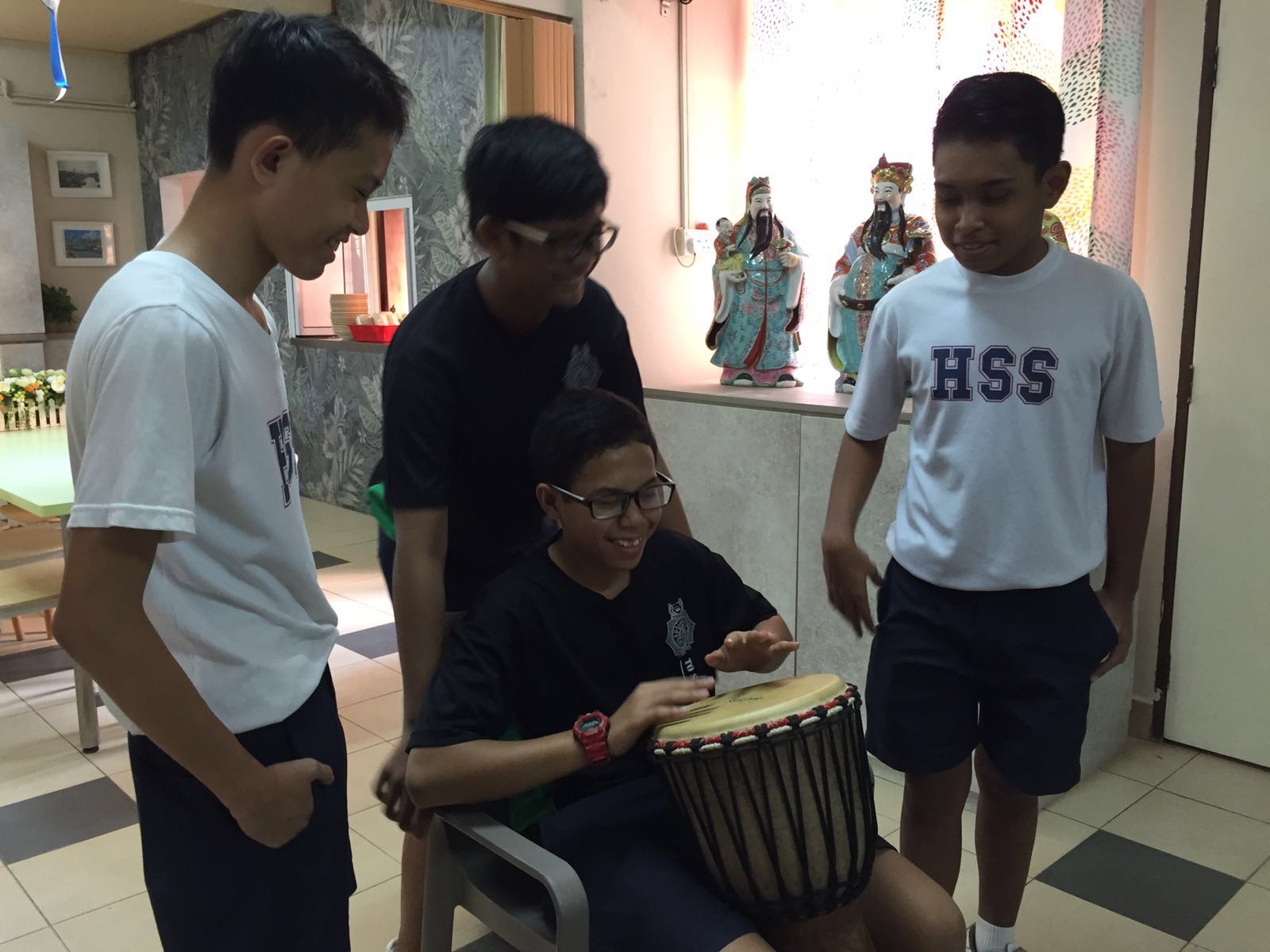 |
| Some of us were selected to be the main drummers. Here, we see Firman (seated) practicing some beats before the activity. |
 |
| The selected boys were seated at the centre while the elderly formed a circle around them. You can see that there are various instruments that the elderly are holding onto. |
 |
| Rishi throwing the yellow ball to an elderly. |
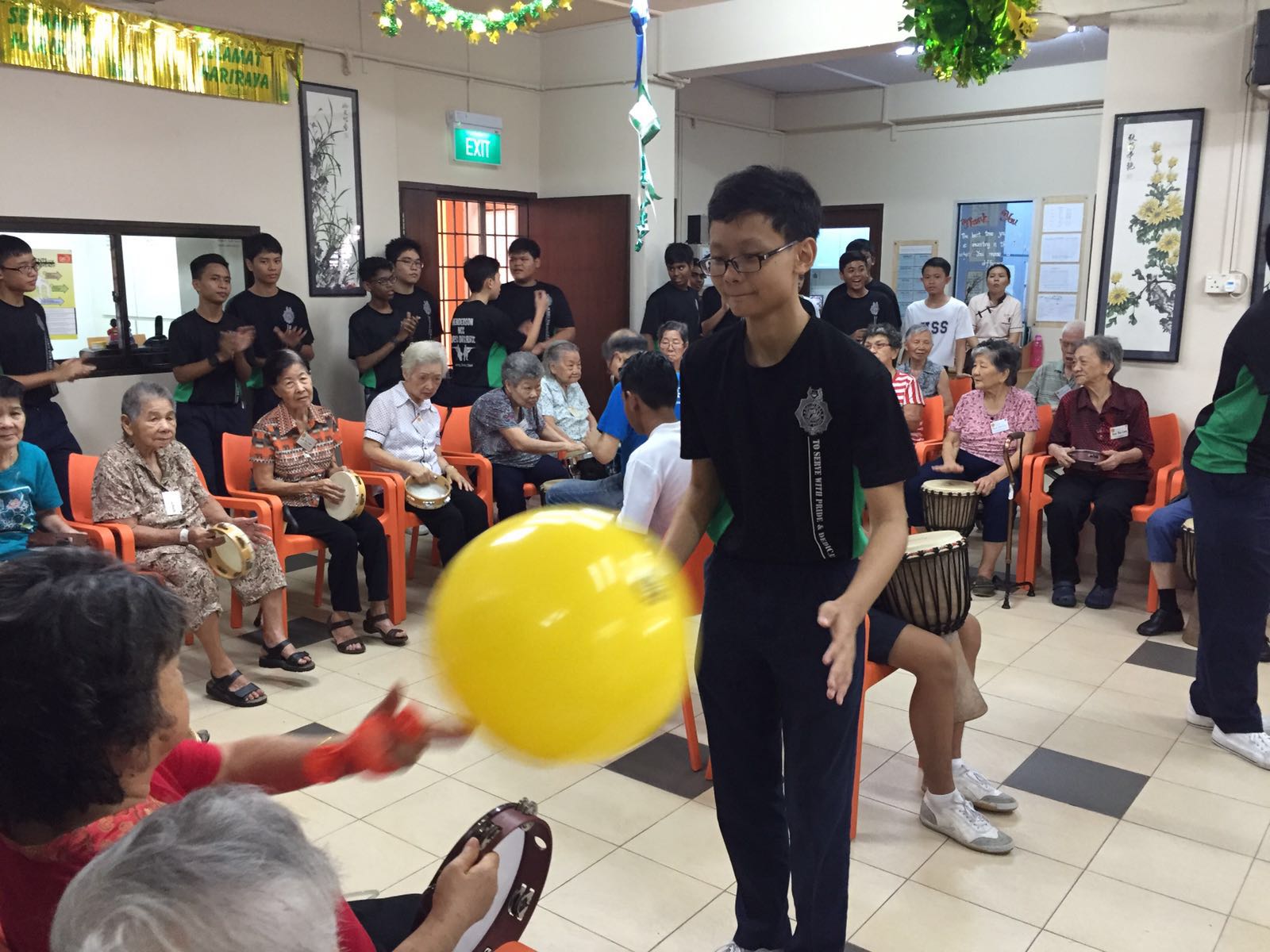 |
| The boys had to keep in mind the strength of their throw to suit the ability of the elderly they are throwing to. This will then keep them encouraged and more willing to be involved. |
While the drumming activity was going on, a few of us started preparing lunch for the elderly.
 |
| Standing at the kitchen window waiting for the food to be prepared. The auntie was instructing us on where to put each plate of food... |
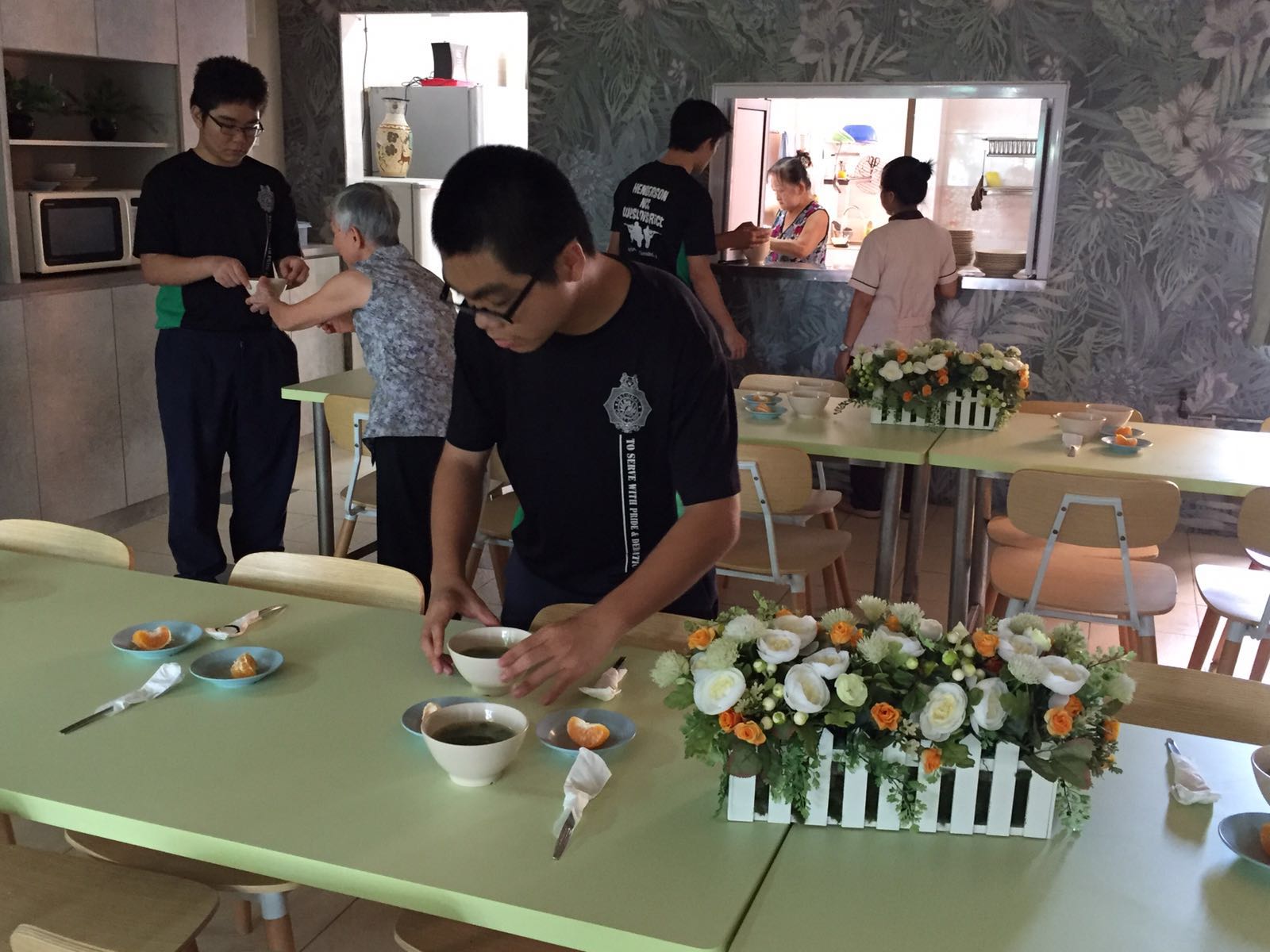 |
| Being very careful so as not to spill anything on the floor. |
 |
| A photo of what each elderly gets for lunch! |
While the elderly enjoyed their lunch, we made our jouney back to school... Upon reaching school, we had a self-reflection time where we thought about 3 things we did well, 2 things we wanted to improve on and 1 thing we would have done differently. This VIA has definitely got us to step out of our comfort zone as most of us do not interact with the older generation on a daily basis. We have learnt how to be more aware of their needs and what we want to try out more is definitely on communicating better with them!
Tuesday, July 5, 2016
NCC Day
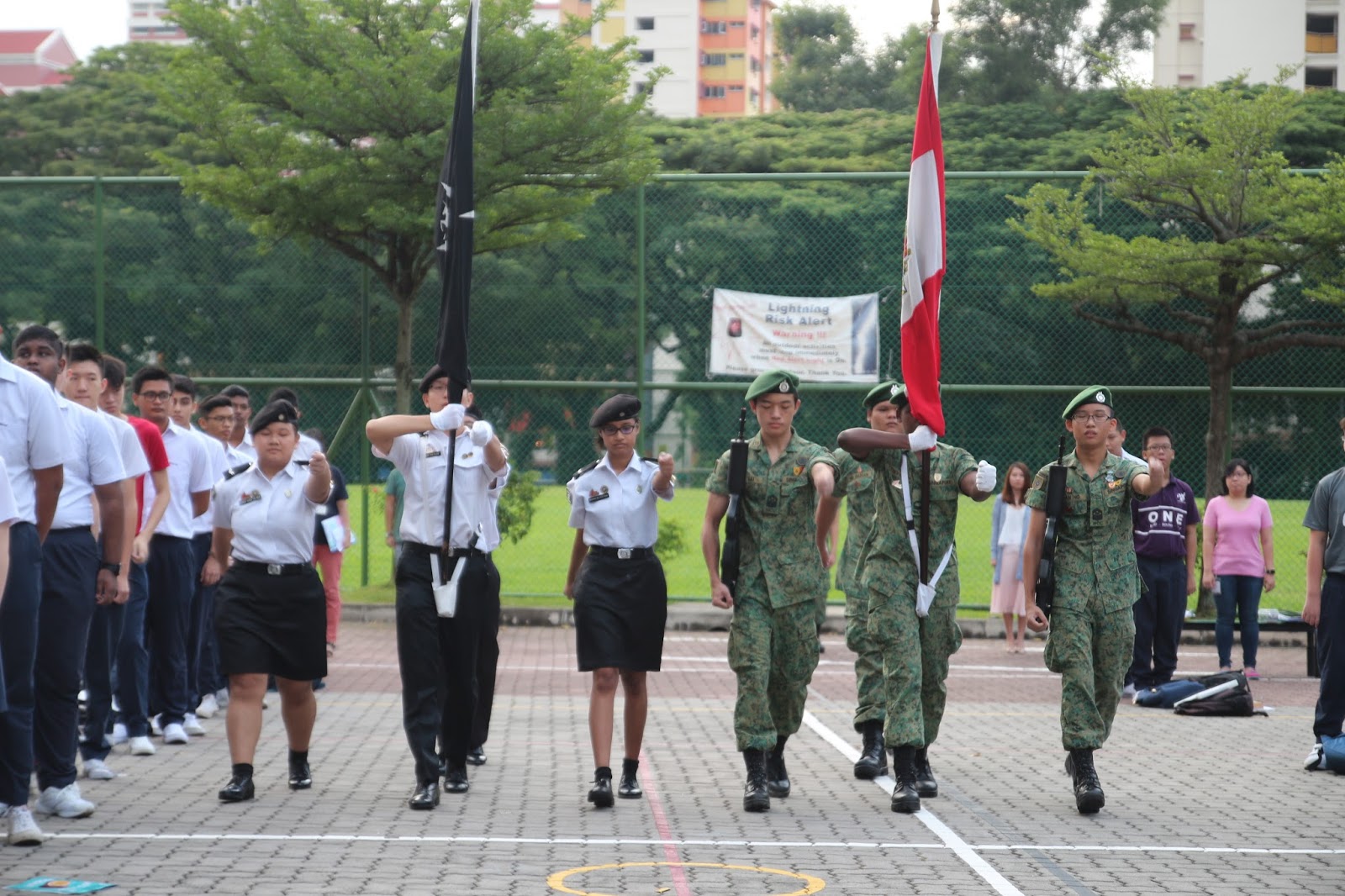
We celebrated NCC Day on 1st July. A short parade was carried out during morning assembly, after which the speech was shared with the school and then the NCC pledge was taken. It was a good experience for all cadets as they got to show the school what NCC is made of. Below are some photos of what went on that day...


1st July was also the first CCA day of Term 3. As our Sec 4 seniors have stepped down, it was the first CCA led by the Sec 3s. We had a fun day bonding together as we played various games. We enjoyed the tug of war most and hope that we can play it again!


 |
| ASM Paul, on the right, in charge of the Singapore flag. |
 |
| Current USM Brandon (left) with former USM Ze Kai (right) taking the pledge. |

 |
| Part C PS Joseph (right) and Former ASM Bryan (left) giving the NCC Day message to the school. |
 |
| Our NCC Teacher Officers with smiles on their faces! |
 |
| ASM Cavan leading in the NCC pledge. |
 |
| Our Principal, Mr Simen, addressing us at the end of it. |


Tuesday, June 28, 2016
NCC Day Rehearsal
We stayed back on the first day of school yesterday to rehearse for NCC Day. As our classmates from SJAB were also celebrating their SJAB Day, we had a joint rehearsal in preparation for the parade during Friday's morning assembly on 1st July. As we had our passing out parade last semester, the Sec 3 specialists were all new to their roles in the parade and had some learning to do. Luckily, the Sec 4s were there to pass down their knowledge to them.
With this rehearsal, we are well-prepared and ready to present ourselves to the school for NCC Day!
 |
| Our NCC Boys on the right and SJAB classmates on the left. |
 |
| Relaxing before the rehearsal begins. |
 |
| Rishi, our flag bearer, learning how to handle the flag from our previous flag bearer, Zhen Long. |
 |
| The rest of the cadets lining up on the elevated platform. USM Brandon, standing between the two flag poles, as the appointed parade commander for the day. |
Wednesday, June 1, 2016
Handing Over Ceremony & CCA Olympics
Our school held the handing over ceremony for CCA Leaders last Friday, 27 May. We had USM Pang Zekai handing over the NCC Flag to USM Brandon Ong to symbolise the handing over of leadership. We all look forward to a new era of leadership under USM Brandon where he will hone his skills and serve the cohort to greater heights!
After the handing over ceremony, the Part Bs and Cs took part in the annual CCA Olympics. This event is organised by the PE Department and serves as a platform for CCAs to form teams and compete with one another in four different sports, namely, Football, Ultimate Frisbee, Captain's Ball and Floorball.
We participated in all four sports, sending one team each for the boys category. After many rounds of intense games, with us sweating it out under the hot sun, our Captain's Ball and Floorball teams emerged as runner-ups, while the Football and Ultimate Frisbee teams clinched the third position.
It was an enjoyable day as we got to build our teamwork and camaraderie as one NCC.
As we say our goodbyes on the last day of school, we look forward to Term 3 where two important events are coming up - NCC Day and our CCA's values-in-action.
Signing out for now till the end of June Holidays!
 |
| USM Brandon (Left) and USM Zekai (Right). |
We participated in all four sports, sending one team each for the boys category. After many rounds of intense games, with us sweating it out under the hot sun, our Captain's Ball and Floorball teams emerged as runner-ups, while the Football and Ultimate Frisbee teams clinched the third position.
It was an enjoyable day as we got to build our teamwork and camaraderie as one NCC.
As we say our goodbyes on the last day of school, we look forward to Term 3 where two important events are coming up - NCC Day and our CCA's values-in-action.
Signing out for now till the end of June Holidays!
Wednesday, April 27, 2016
Passing Out Parade (POP) 2016
We had our POP last Friday during CCA. The POP is where the seniors of our CCA, Part D, will pass down their duties to the next seniors of the CCA, Part C.
CCA started with Part D teaching Part C how to carry out the POP routine. The Part C cadets who have been shortlisted as rank holders were also announced. They will be on probation for the time being.
We carried out the POP after recess. These are some photo memories of the POP:
Sadly, our photographer did not manage to capture the changeover for the position of ASM (Training). The cadet taking over as ASM(Training) is Cavan and the cadet stepping down is Zai.
At the end of POP, we had pizza to celebrate the day and mark the end of our CCA for Term 2. The next time we see each other will be on CCA Olympics, on the last day of school, after the Mid-Year Exams.
For now, the blog will be going on hiatus as we study for our upcoming examinations. Till CCA Olympics, study hard guys and all the best!
CCA started with Part D teaching Part C how to carry out the POP routine. The Part C cadets who have been shortlisted as rank holders were also announced. They will be on probation for the time being.
 |
| How do we carry out the POP routine? |
 |
| Passing over of the Platoon Commander for Part B. |
 |
| The new Platoon Commanders for Part B - Rudy & Raihan. |
 |
| The new Platoon Commanders for Part C - Joseph & Ryan. |
 |
| ASM (Admin) Bryan stepping down. |
 |
| The new ASM (Admin) Paul! |
 |
| USM Ze Kai stepping down. |
 |
| The new USM Brandon! |
At the end of POP, we had pizza to celebrate the day and mark the end of our CCA for Term 2. The next time we see each other will be on CCA Olympics, on the last day of school, after the Mid-Year Exams.
 |
| Pizza lunch for the day with two of our NCC teachers and one of our OM photobombing. |
Monday, April 18, 2016
Part C Specialist Assessment Actual
 |
| Marching on this road gives us a certain pride not felt anywhere else... |
 |
| Onward we march! |
 |
| Falling in for the distance assessment. |
 |
| Physical assessment on the way - both push-ups and sit-ups will be tested. |
 |
| GSK test - many of us had difficulties with this... |
We will definitely be sharing what we have learnt with our juniors in Part B and from there, carry on the light of being a proud NCC cadet.
Subscribe to:
Posts (Atom)